1. Choose your route and departure date
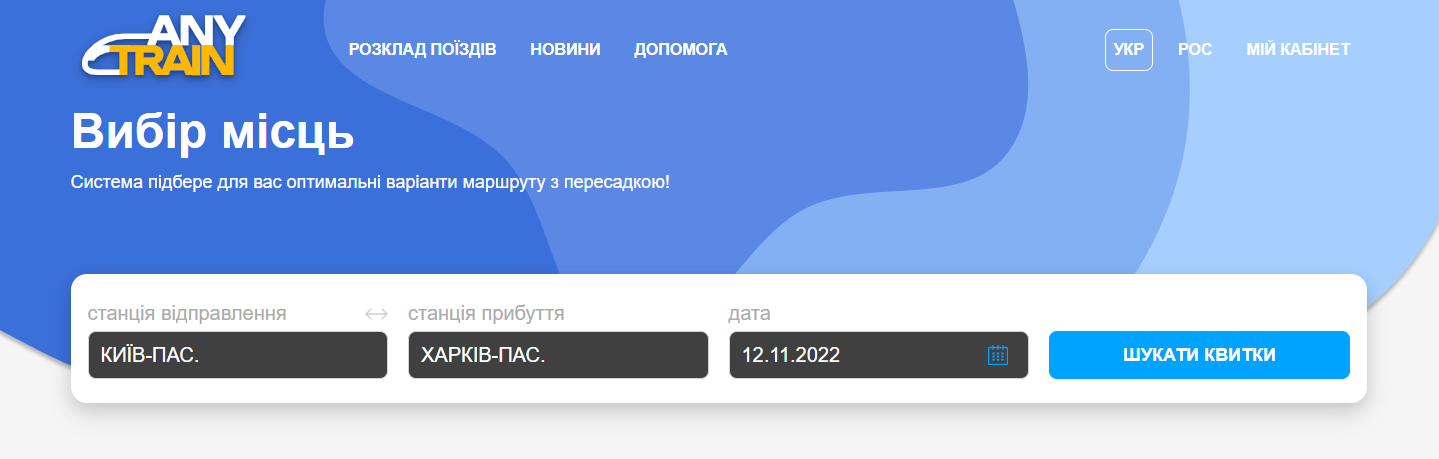
Enter your departure and destination stations, as well as your travel date. You can also specify your preferred departure time.
Select the "Find a route with a transfer" option and, if desired, choose your preferred transfer time.
Click "Search Tickets". Searching for available train tickets may take a few moments.
2. Select your trains
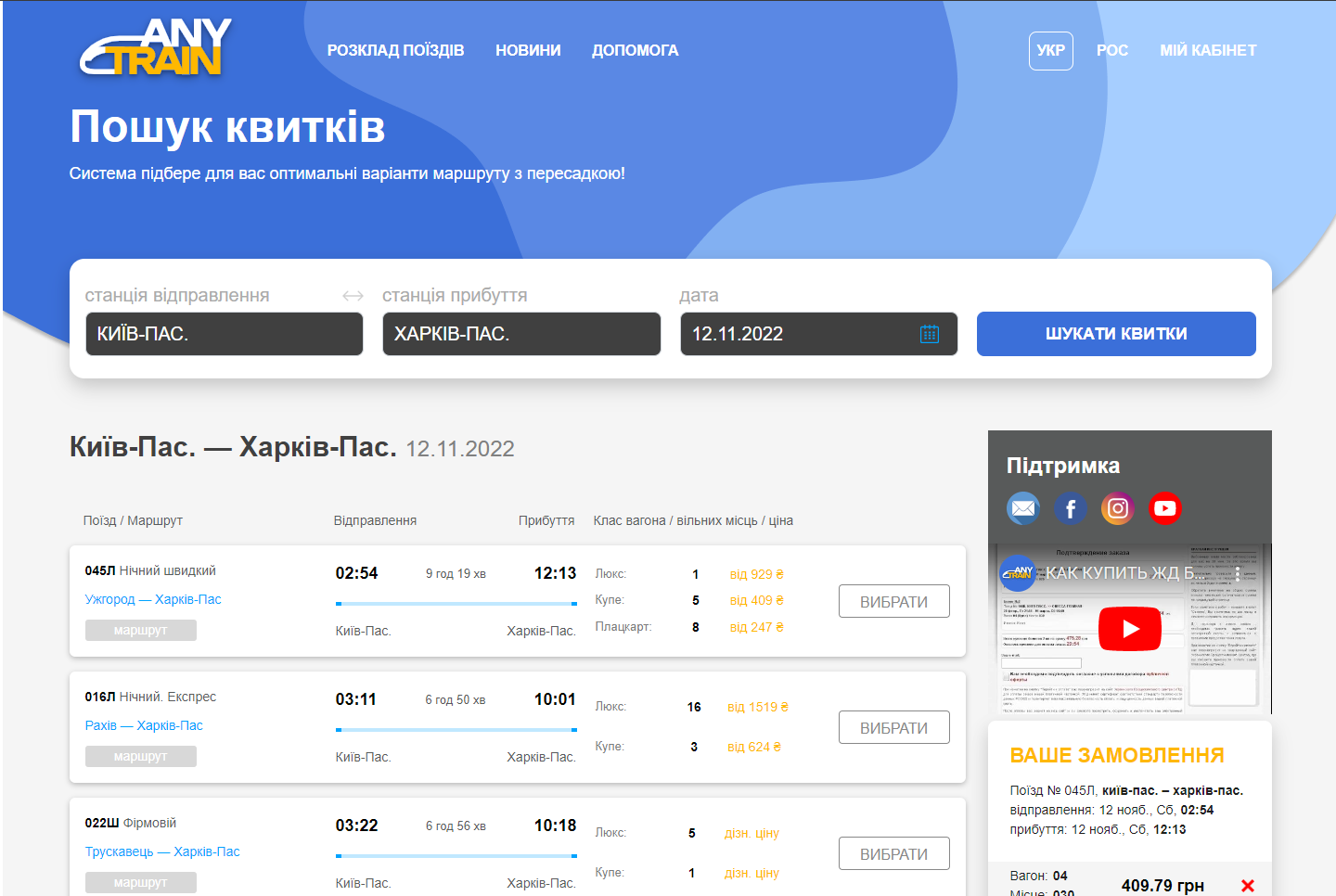
A list of available train combinations and carriage types with available seats will be displayed.
Some train combinations may offer several possible transfer stations. You can choose the transfer station that best suits your trip.
To select seats, click the button for your preferred carriage type.
3. Select your seats
Choose a carriage and your preferred seat(s).
You can browse other carriage types by clicking the corresponding carriage type button.
Before selecting any tickets, helpful booking information is displayed on the right side of the screen. Once seats have been selected, they will appear in the "Your Order" section. You can remove a selected ticket by clicking the × next to it.
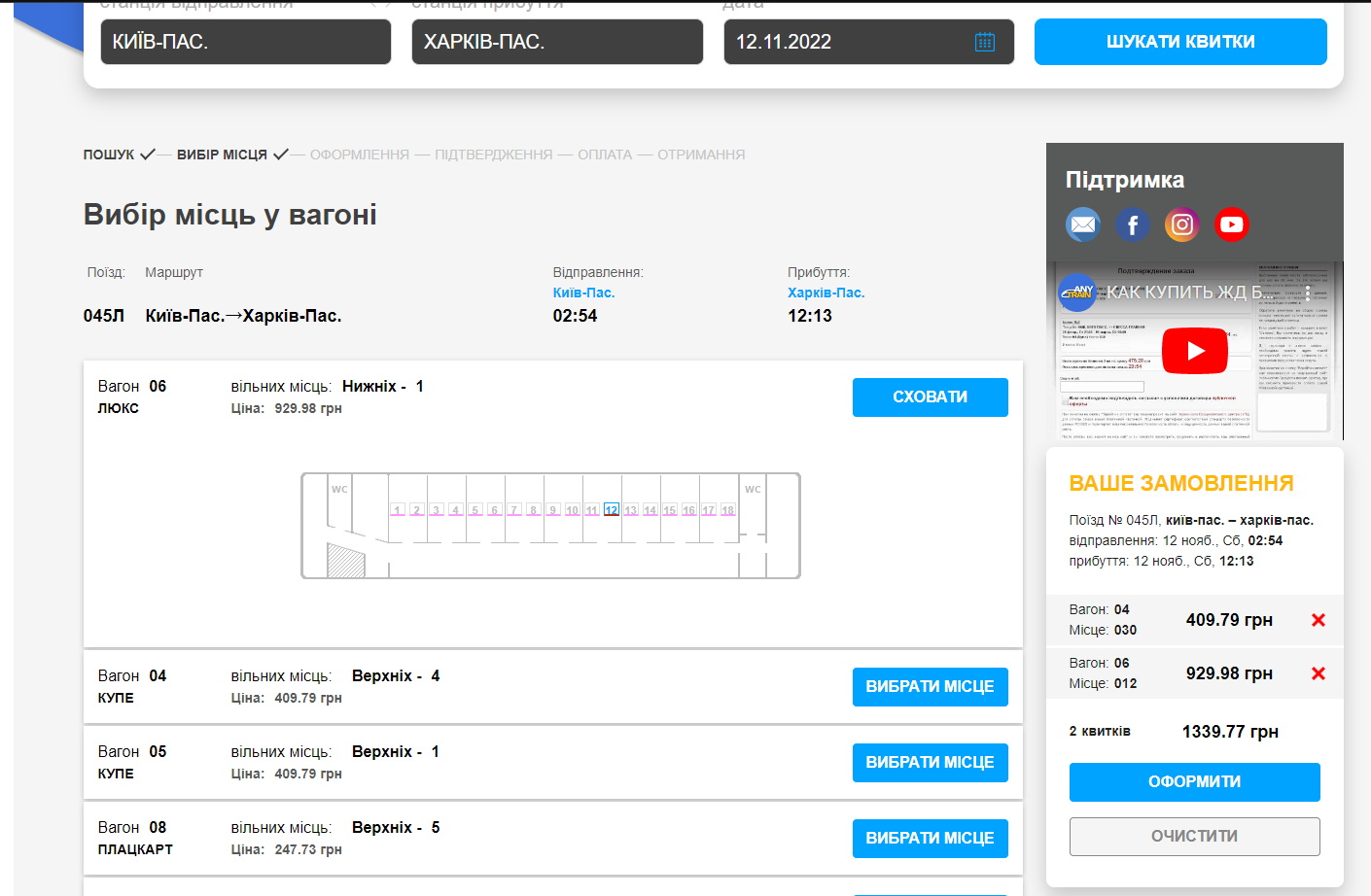
After selecting the first ticket, click "Back to Trains" to return to the list of train combinations. The combination for which you have already selected a ticket will be highlighted, making it easier to select the second ticket for your journey.
Once you have selected all the required seats, click "Proceed to Booking".
4. Complete your booking
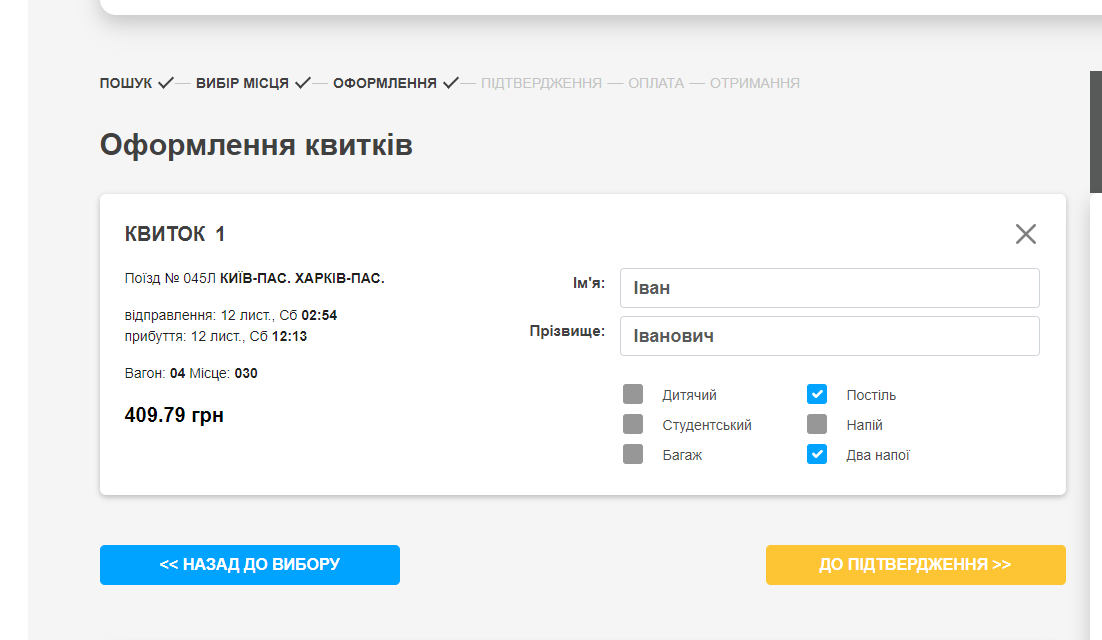
For each ticket, enter the passenger's first and last name and choose whether you want to reserve the ticket or purchase it.
The passenger's name must exactly match the information in their identity document.
If you are purchasing a ticket for a child, select the appropriate option and enter the child's date of birth. The exact child fare will be calculated during the next step.
If you plan to travel with animals, special equipment, or baggage exceeding the free baggage allowance, select the corresponding option.
Review the information you entered and click "Continue".
At this point, your selected seats will be reserved for 30 minutes while you complete the payment.
Confirm your order
Verify your selected train tickets and passenger information.
Please pay attention to the ticket price displayed—it is the final amount payable.
Enter your email address, read and accept the terms of the public offer, and click "Proceed to Payment".
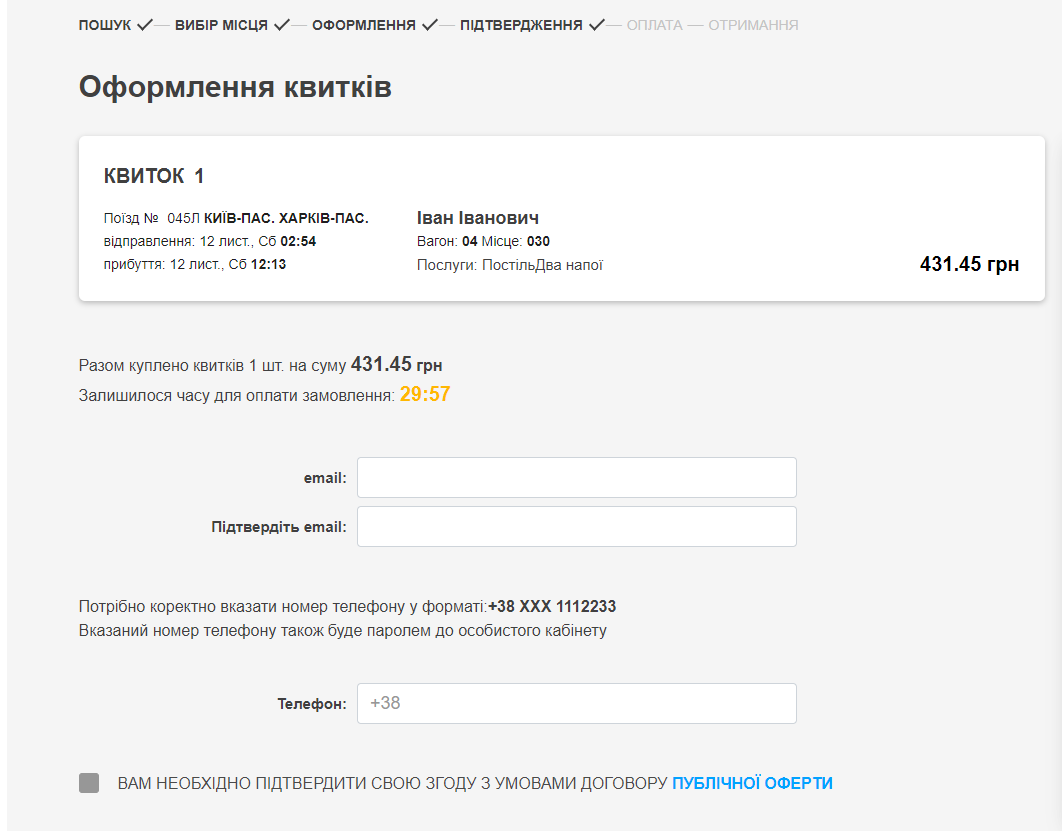
6. Pay for your order
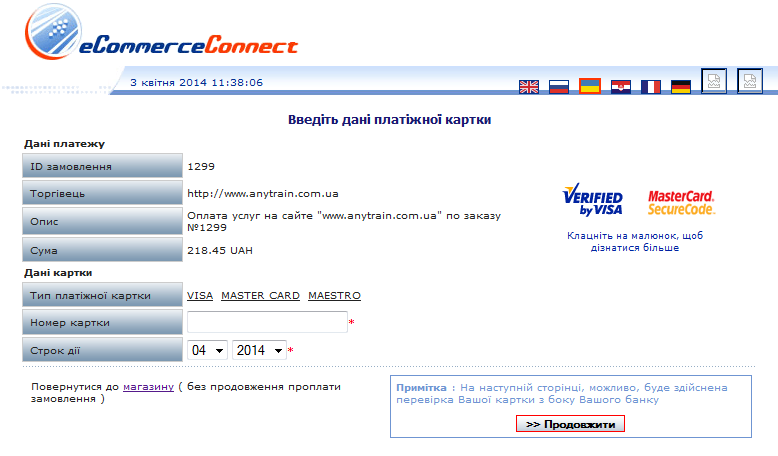
To complete your purchase, enter your payment card number, expiration date, and email address in the secure payment window, then click "Continue".
Next, enter your CVV/CVC security code and click "Continue" again.
7. Receive your tickets
After successful payment, a confirmation message will appear. You can open or save your booking confirmation by clicking the appropriate button. It is recommended that you print the booking confirmation or at least write down the unique booking code.
A confirmation email containing your order details will also be sent to your email address.
Present the printed booking confirmation or the unique booking code at an official Ukrainian Railways (Ukrzaliznytsia) ticket office in mainland Ukraine to receive your official train ticket.
If you only reserved your ticket, you will also need to pay the full ticket price at the ticket office.
If you purchased an electronic ticket (your booking confirmation contains a QR code), you do not need to visit a railway ticket office. Simply present the printed electronic ticket with the QR code to the train conductor when boarding.
When you purchase train tickets on our website for the first time, you are automatically registered in our system. A password for accessing your personal account will be sent to the email address you provided during booking. Your personal account contains the history of all your orders.